

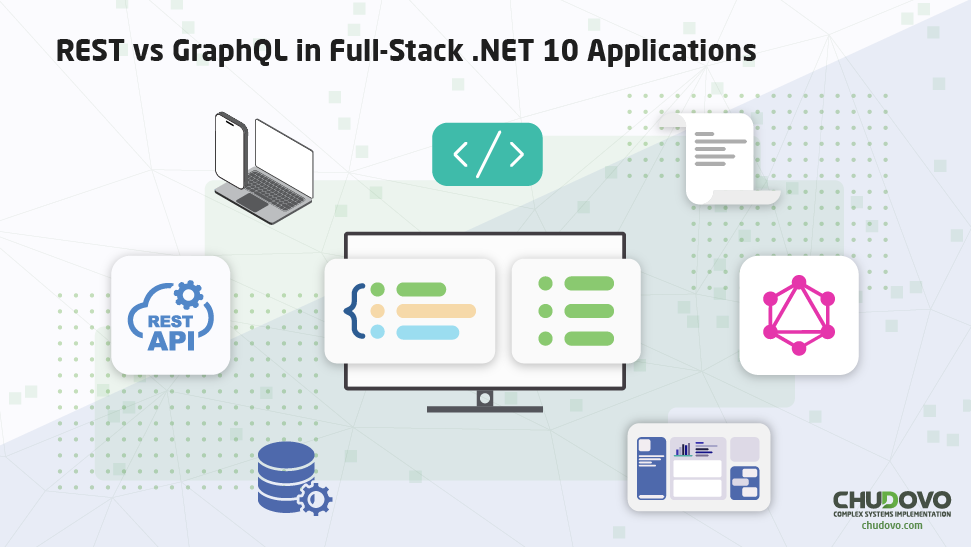
REST vs GraphQL in Full-Stack .NET 10 Applications
In modern software development, performance and software quality remain crucial concerns that .NET developers must plan for carefully. And, when developing critical production APIs to serve thousands or even millions of users, it is crucial to understand which architectural choice is the most useful for your use case. In this context, there are two main choices for your API design in .NET 10: using either REST or GraphQL. With this article, we aim to provide a deeper understanding of the pros and cons of each option. We will discuss the practical steps for implementing, understanding performance, identifying the best moments to use each, and how the architectural choice will influence your project, and do a quick Full-Stack .NET 10 API comparison.
What is the difference between REST and GraphQL in .NET 10?
What Is a REST API in the .NET Ecosystem?
REST is an acronym for Representational State Transfer and is an architectural style for understanding, planning, and implementing a backend API. So, REST isn’t a coding framework per se, but a set of structural patterns that must be followed so as to implement modern and performant apps, and it is a mandatory basis for developing modern full-stack .NET 10 apps. When an API fully implements these principles, it is called a RESTful application; and, to be so, it must follow a small set of rules:
- Uniform interface: Resources should be accessible via stable, consistent, and easy-to-understand interfaces, so that the user and other developers should instantly know what to expect, how to create new endpoints, and how to understand pre-existing ones. It revolves around the necessity of using the very well-known HTTP methods (GET, POST, DELETE, PATCH, PUT, etc.), and the usage of URIs to identify resources.
- Client-server: States that there should be a clear distinction between what the graphical interface that the client sees and the server that runs in the backend. They should communicate easily and freely, but never be confused, and do so through contracts and envisioning to make requests and responses as smooth and consistent as possible.
- Stateless: Ensures the atomicity of each request, meaning that every single one must already contain every single piece of data needed to be fulfilled, and the server should never store data from previous requests in-memory to process the current request. That is, there should never be any hidden context running through the code and connecting one request to the other; much to the contrary, every API request should be 100% individual.
- Cacheable: Determines whether responses are cacheable and, if so, grants the application the right to cache them and reuse them in similar requests in the future. It is necessary to ensure performance while preventing the caching of the wrong data, which could lead to data leaks and returning wrong results to some users.
- Layered system: This development principle states that the application’s architecture can be composed of hierarchical layers, allowing the creation of logical components, setting apart responsibilities, and allowing the code to expand consistently, preventing one layer from breaking another.
- Code-on-demand (optional): Allows chunks of code to be sent from the back-end to be executed on the client side of the application, preventing unnecessary code from loading to the client and only using it when it is needed. It is very useful when your application is already too large, and your DOM is somewhat cluttered.
Strengths and Limitations of REST in Full-Stack .NET App
REST is the most popular and almost default architectural choice when developing a modern API nowadays, and it didn’t happen by chance. It is a very complete, logical, and efficient solution, and the architecture overall simply makes sense. Furthermore, it has several upsides: it’s very simple to implement, it’s easy to implement a caching layer, it has the most up-to-date toolset, a myriad of frameworks to choose from, and it is already very mature. This means that, when developing a REST API, the best tooling available in the market will be at your disposal, as well as the best utilities for maintaining a backend app, as well as being very easy to integrate into modern cloud solutions.
Now, of course, using REST when developing your .NET apps has its ups and downs. It tends to suffer from overfetching, sometimes gets confusing, and is piled up with versioning, and might require multiple requests to properly work. It all adds up, making for a suboptimal experience, as stuttering might happen, resulting in a slower user experience, most of all if you have to deal with many different types of data at the same time or on a screen with too much information. Because of this, even though REST is so powerful, it is not always the best architectural choice for your app. Now, let’s understand a bit more about the alternative to the REST architecture.
Understanding GraphQL in ASP.NET Core 10
What Is GraphQL and How It Works
GraphQL is a query language and a runtime for APIs, functioning in a very different way from REST. It works through schemas, queries, mutations, and resolvers; with GraphQL, there aren’t several different endpoints to be searched for, but a single endpoint with which you can access schemas to run queries and get data. REST, then, defines an architectural style for resource-based APIs, while GraphQL provides a query-based data access model. Furthermore, in case you already have a backend app up and running RESTfully, you don’t need to create a new one to add support for GraphQL: you can simply add it on top of the pre-existing architecture, as they don’t conflict with each other.
Now, going a bit deeper into the concepts, here are the main points:
- Schema: They represent a typed, self-documenting contract that summarizes everything GraphQL has to offer: data types, type relationships, available queries and mutations, etc. Both backends and frontends must follow this contract, as they represent everything in the system; anything that isn’t within a schema doesn’t exist.
- Queries: The simpler part: queries are reading operations in GraphQL, working more or less like GET requests. GraphQL, as the name suggests, treats your system as a graph; the engine then navigates through this graph, fetching required data, to return to the client. It can very easily navigate through relations between models, fetch data from several different ones without much effort, and, most importantly, personalize what needs to be fetched without previous endpoint programming to handle it.
- Mutations: Mutations are write operations, similar to HTTP verbs such as POST, PUT, and DELETE. They have collateral effects and return updated data, and are explicitly defined in the schema as mutations instead of simple queries.
- Resolvers: Resolvers are functions that search for data, call services, and combine multiple sources to create complex logic, more or less similar to REST API’s controllers.
It is, then, a very good option to implement GraphQL with ASP.NET Core 10 to create performant and effective backend applications. It can be used in several different ways, and, most importantly, is especially useful when creating webpages that need to access many different models at the same time, such as reports, graphics, etc. So, if you want to create data-driven web pages that might be very complex to create with normal REST APIs, then this query language might be the best choice for your use case.
Implementing GraphQL with ASP.NET Core 10
So, now that you have all of this theoretical basis, here’s a quick ASP.NET Core 10 GraphQL tutorial for beginners. It will explain everything from how to install libraries to how to create an endpoint and everything in between, so you will have a solid starting point to create your backend application.
1. Implementation flow overview
The correct implementation flow in ASP.NET Core 10 is as follows:
- Install the GraphQL packages
- Configure the GraphQL pipeline in Program.cs
- Define the data models (DTOs / entities)
- Create queries for data retrieval
- Create mutations for data modification
- Connect queries and mutations to application services (business logic)
- Expose the GraphQL endpoint at /graphql
- Detalhar fluxo de implementação.
2. Installing packages
These are the required packages to develop GraphQL in a .NET 10 environment. The HotChocolate library adds support for schema, resolvers, and middlewares, and allows for exposing a GraphQL endpoint.
dotnet add package HotChocolate.AspNetCore
dotnet add package HotChocolate.Data
dotnet add package HotChocolate.Types
3. Setting up GraphQL on ASP.NET Core 10: Program.cs
var builder = WebApplication.CreateBuilder(args);

// Services

builder.Services

   .AddGraphQLServer()

   .AddQueryType<Query>()

   .AddMutationType<Mutation>();

var app = builder.Build();

// Middleware

app.MapGraphQL("/graphql");

app.Run();
It adds a middleware for GraphQL requests, allowing the normal REST endpoints to work as usual.
4. Creating the data module: User.cs
public class User

{

   public int Id { get; set; }

   public string Name { get; set; } = default!;

   public string Email { get; set; } = default!;

}
5. Creating the service layer: UserService.cs
public class UserService

{

   private static readonly List<User> _users =

   [

       new() { Id = 1, Name = "Alice", Email = "alice@email.com" },

       new() { Id = 2, Name = "Bob", Email = "bob@email.com" }

   ];

   public IEnumerable<User> GetUsers() => _users;

   public User AddUser(string name, string email)

   {

       var user = new User

       {

           Id = _users.Count + 1,

           Name = name,

           Email = email

       };

       _users.Add(user);

       return user;

   }

}
And then to register the service:
builder.Services.AddSingleton<UserService>();6. Creating queries: Query.cs
public class Query

{

   public IEnumerable<User> GetUsers([Service] UserService service)

       => service.GetUsers();

}
This creates the following GraphQL query:
query {

 users {

   id

   name

   email

 }

}
7. Creating mutations (state alteration): Mutation.cs
public class Mutation

{

   public User AddUser(

       string name,

       string email,

       [Service] UserService service)

   {

       return service.AddUser(name, email);

   }

}
Which creates the corresponding GraphQL query:
mutation {

 addUser(name: "Charlie", email: "charlie@email.com") {

   id

   name

   email

 }

}
8. GraphQL query automatically generated
type Query {

 users: [User!]!

}

type Mutation {

 addUser(name: String!, email: String!): User!

}

type User {

 id: Int!

 name: String!

 email: String!

}
9. Direct comparison with REST
In REST, you’d request this: GET /users.
With GraphQL, you’ll run the following query:
query {

 users {

   name

 }

}
With it, your data structure and typing will be decided by the contract, and both front and backends will know exactly what type your queries return. Also, your data will be retrieved on demand, so if someday you might need more than the name of the user, then you will be able to simply ask the API for more information instead of having to code the whole endpoint. And that’s the basics on how to start building a GraphQL API in .NET 10.
When Should You Use GraphQL Instead of REST in .NET?
Now, here’s a quick comparison of ASP.NET Core REST vs GraphQL and when you should use each of them. Of course, as we have cited previously, you don’t need to choose between one or another: your REST API can expose a GraphQL endpoint to work simultaneously with the regular ones; still, it is very useful to understand when it’s best to use each one of them. So, in case you’re wondering, “When should I use GraphQL instead of REST in .NET?”, here’s the answer!
Ideal use cases for GraphQL
- Multiple clients: GraphQL is highly recommended when the same API will be used by different clients, that is, when it should be divided between web, mobile, internal, and external dashboards, etc. That’s because it would prevent the need to develop specific endpoints for each one, reducing overfetching.
- Complex frontends: If you have big SPAs with composite data structures, data-rich interfaces, etc. It prevents the need to create big queries to fetch everything, reducing multiple requests, etc.
- Public APIs: Public APIs are very sensitive to changes in the payload and the creation of new versions, and also depend directly on keeping the documentation updated. If you give your clients access to GraphQL models, then they can come up with their own queries that will surely work independently from future changes.
When REST is still superior
- Simple and stable integrations: The API is consumed by external systems that are very stable, and the data is very predictable, as it is easy to test, document, and audit, and can be cached easily.
- Write operations and direct commands: REST works best when running transactional commands that will explicitly write to your system, such as POST requests. Though GraphQL mutations work very well for it, REST is simply best at it.
- Aggressive caching and CDN usage: REST is preferable when caching is essential, most of all if it will use CDN intensely. GraphQL must use cache as a layer or via a layer, so it’s harder to implement and not as semantic.
With it, we hope it has become clear when you should or should not prefer to call for regular endpoints or opt to use GraphQL. And, in case you might still need further help implementing GraphQL into your API or creating a new one with it, then you can contact us at Chudovo! With our .NET software services, we can certainly help find the best solution to suit the needs of your company.